Design your own buttons online, free in your browser
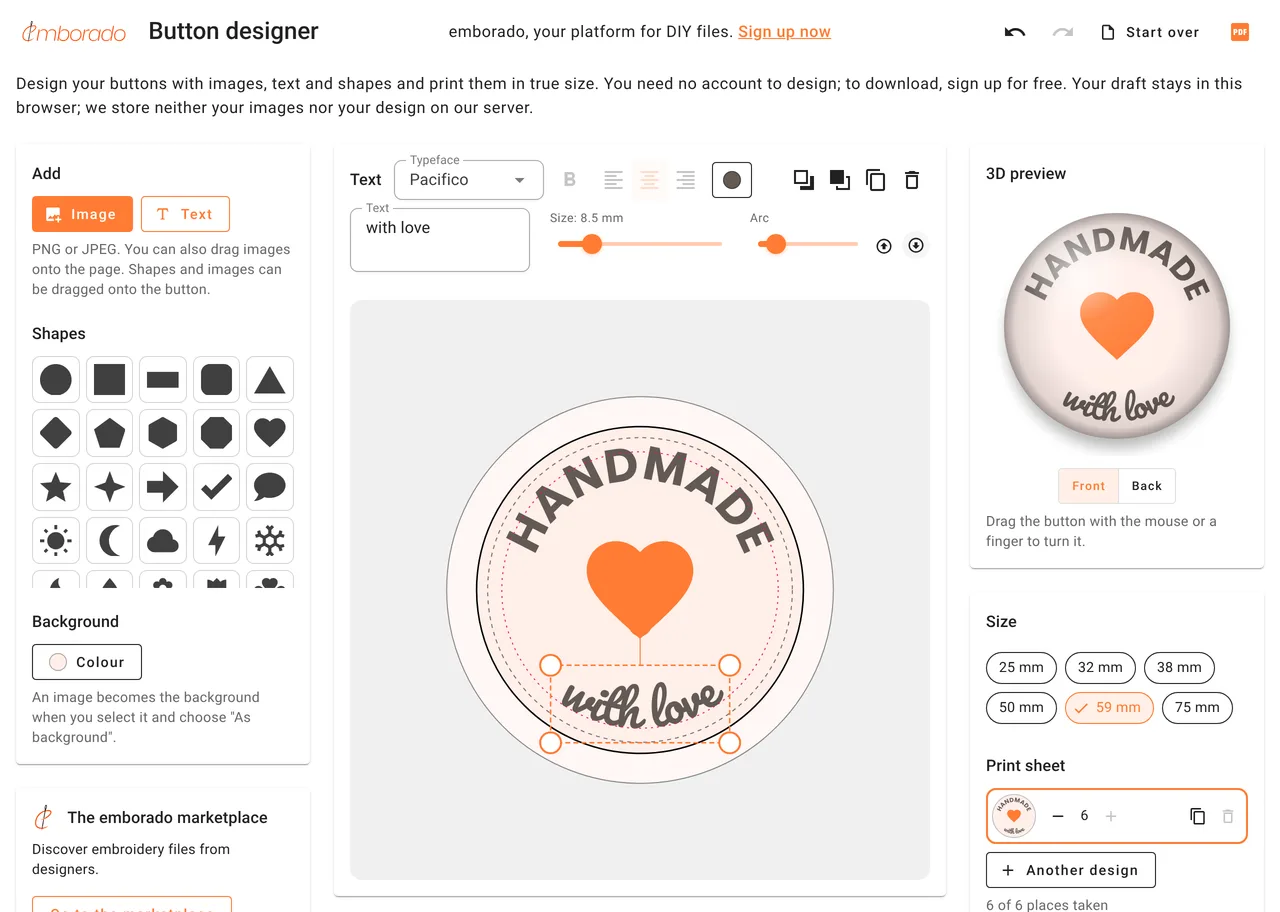
With the emborado button maker you design pin-back buttons with images, text and shapes and get an A4 print sheet as a PDF at actual size. You need no account to start designing.
What the button maker can do
Everything you need for a clean print template runs right in your browser.
-
Images and photos
Upload photos and logos as PNG or JPEG. Move, rotate, scale and crop them as you like.
-
Curved text
Choose from eight fonts. Text can follow a curve, along the top or bottom rim if you want.
-
More than 50 shapes
Add a heart, star, paw and many more shapes with one click and recolor them.
-
3D preview
The preview shows the domed button, so you can see whether lettering sits too close to the rim.
-
Print sheet as PDF
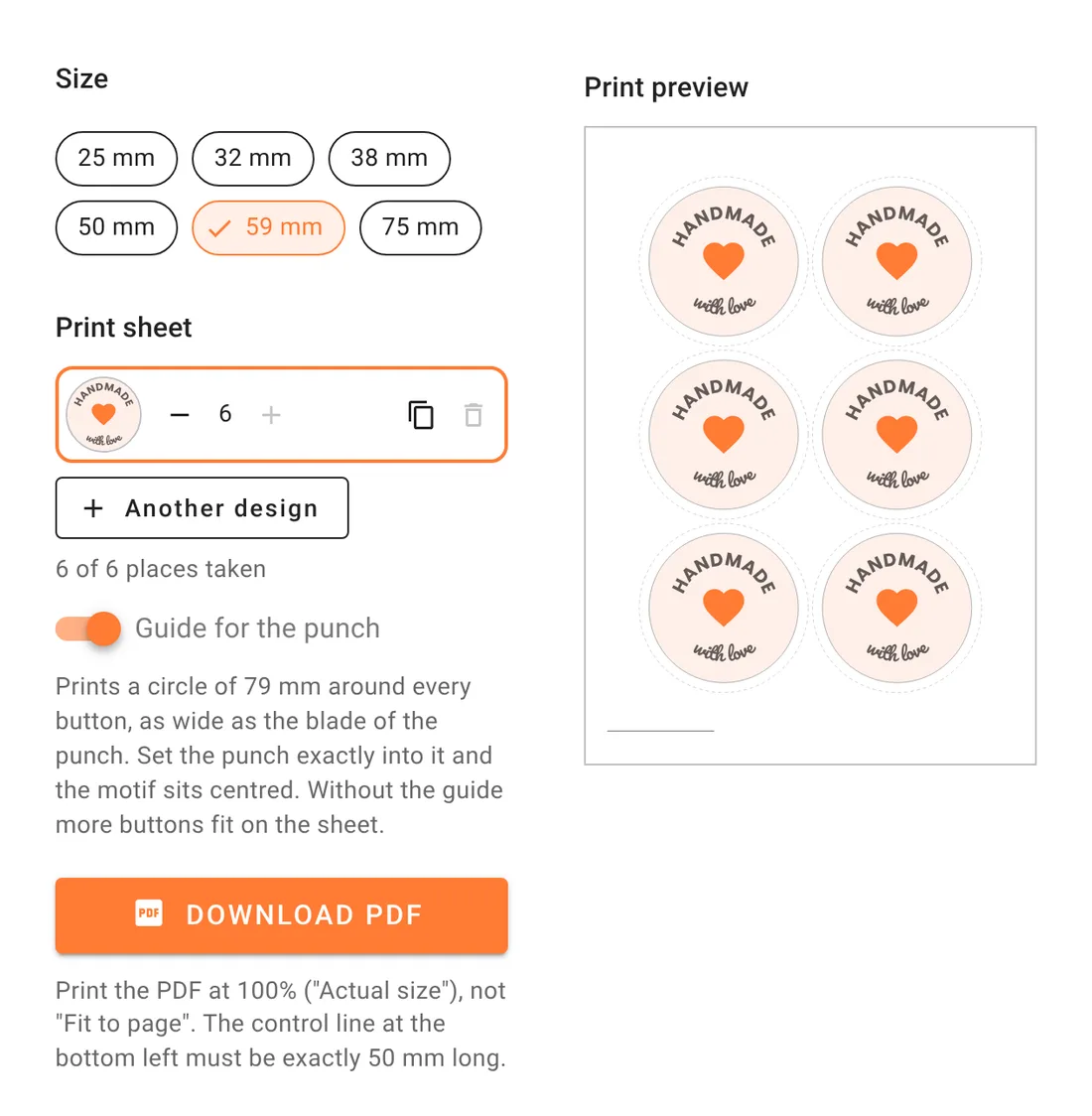
Several designs fit on one A4 sheet, each with its own quantity and at actual size.
-
Punch guide line
A printed circle the size of your punch helps you cut every design dead centre.
Design buttons in seven sizes
Each link opens the button maker with an empty print sheet in that size.
- 25 mm the classic small size, good for a single symbol or a logo
- 32 mm a little more room, for a symbol with a short word
- 38 mm a versatile medium size for a motif and text
- 50 mm easy to read, even with a name or a short slogan
- 58 mm a common size for many button machines
- 59 mm enough space for photos and text along the rim
- 75 mm for anything that should be readable from a few metres away
Print your buttons in four steps
- 1
Choose a size
Pick the size of your blanks, from 25 to 75 mm.
- 2
Design your button
Add a background, images, text and shapes and check the result in the 3D preview.
- 3
Download the print sheet
Set the quantity per design and download the A4 sheet as a PDF. For this you sign up to emborado for free.
- 4
Print and press
Print at 100% or “actual size”, punch out the designs and press them with your button machine.
The full guide with tips on paper, print settings and common mistakes: How to make your own buttons
Frequently asked questions about the button maker
Is the button maker free?
Yes. Designing is free and works without an account. To download the print sheet you sign up to emborado for free.
Which button sizes are available?
Round buttons with a diameter of 25, 32, 38, 50, 58, 59 and 75 mm.
Do I need a button machine?
Yes. The button maker gives you the print template. To press the buttons you need a button machine with matching blanks and a punch or circle cutter.
Are my images stored?
Your design stays in your browser. We store neither your images nor your design on our server.
Can I print several designs on one sheet?
Yes. Add more designs and set the quantity for each one.
Ready to make your own buttons?
Start right in your browser. You only need an account when you download the print sheet.
Start designing buttons