Never buy the same embroidery design twice: how emborado spots files you already own
Bought the same embroidery file twice? Duplicate detection in the emborado marketplace compares file content with your collection before you buy and shows which files you already have and where they are.
If you’ve been embroidering for a while, you know the problem: you love a design, you buy it, and when you unzip it you realize that exact embroidery file has been sitting in one of your folders for ages. Maybe under a different name, maybe as part of a set you bought two years ago.
In the emborado marketplace, that doesn’t happen anymore. Duplicate detection shows you before you buy which files of a design you already own and where they are in your collection. It’s the feature we’re proudest of.
Why embroidery designs get bought twice
Duplicate purchases rarely come down to carelessness. Usually it’s down to how embroidery files are stored:
- Cryptic file names: “Fox.pes” quickly turns into “FX_5x7_v2.pes” after download. You won’t recognize the design by its name.
- Sets and bundles: A design was part of a set you bought years ago and is now sold on its own.
- Freebies and promotions: A design you once got for free shows up in a shop later.
- Folder chaos: Downloads, ZIP archives, USB sticks and old hard drives. Even the best-organized collection gets out of hand eventually.
Searching by file name won’t get you far here. That’s why emborado doesn’t compare names; it compares file content.
How duplicate detection works when you buy
When you buy, emborado compares the design’s files with the files in your collection, based on their actual content. A renamed file is recognized just like the original.
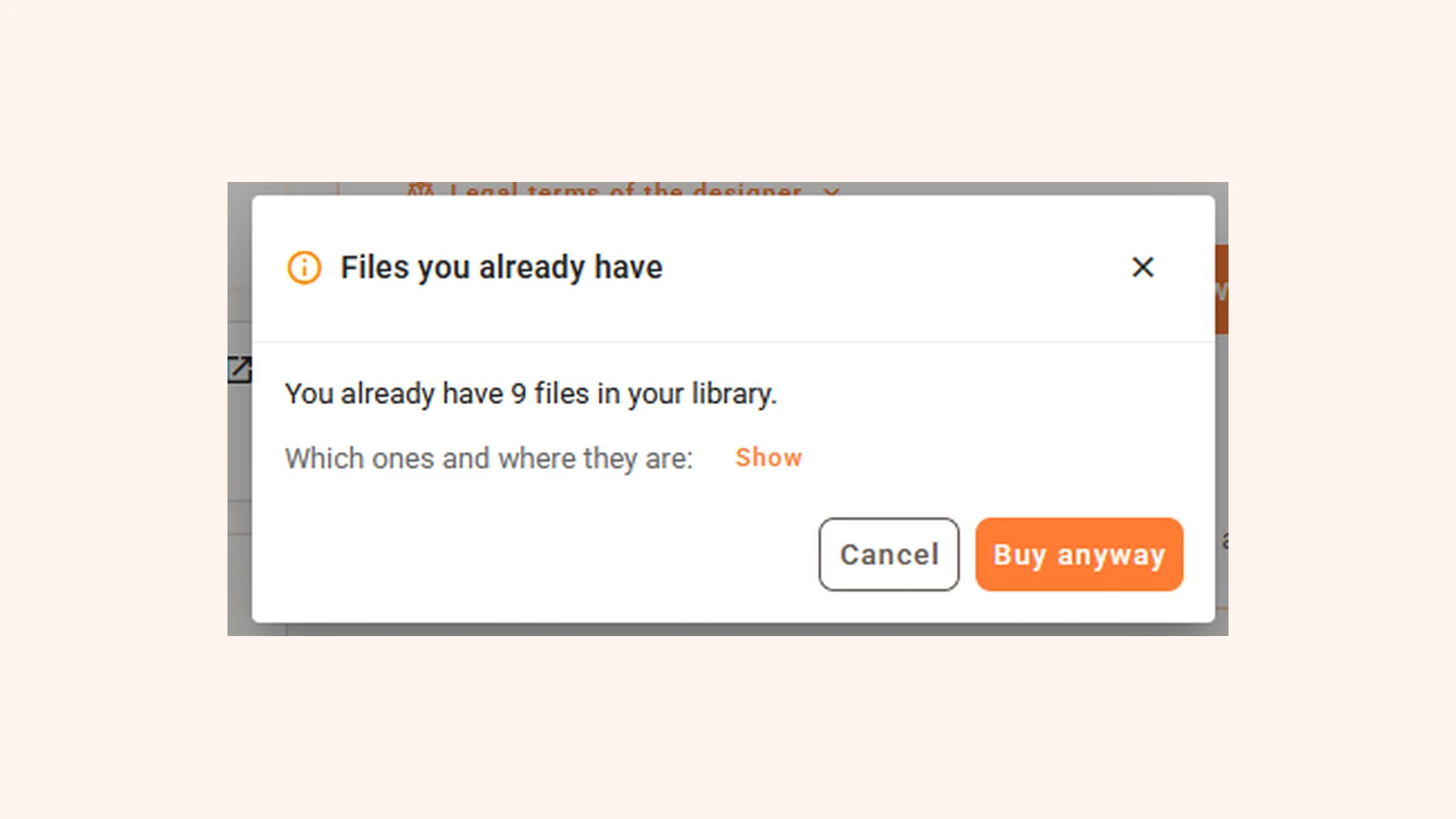
If you already have files from a design, you’ll see it in three places.
1. Right next to each size
Each size of the design shows how many of its files you already have and which designs in your collection they’re in. Click a name to open the existing design.
2. In the summary below the buy button
Below the button you see at a glance how many files you already have in total, for example: “Checked: you already have 9 files.”
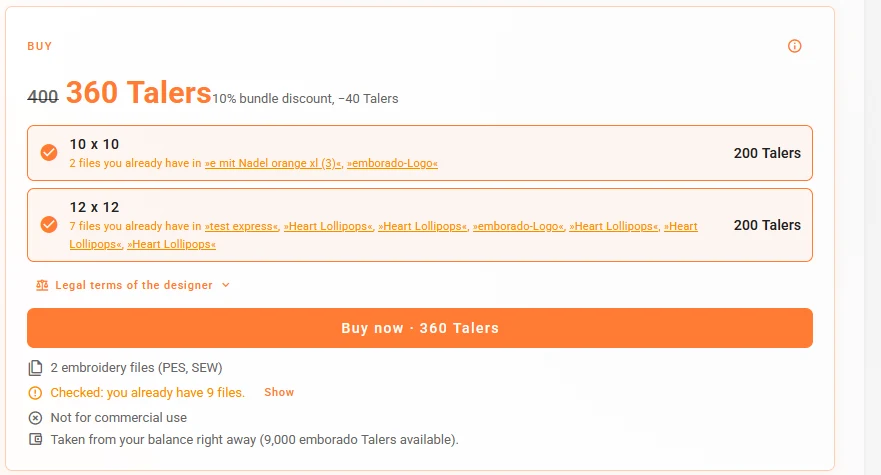
3. In the dialog after “Buy now”
If you click “Buy now” anyway, emborado asks once more. In the dialog you can look at which files they are and where they’re stored, then decide calmly whether you want to buy anyway.
The decision stays with you
emborado never blocks a purchase. There are good reasons to buy a design anyway: maybe you only have one size and need another, or you deliberately want the complete set. We just want you to make that decision with all the information.
The check runs automatically on every purchase in the marketplace. There’s nothing to set up.
How does detection work technically?
Duplicate detection is based on a digital fingerprint. When a file is added to your emborado collection, emborado calculates a checksum from its content (a so-called SHA-256 hash). It’s a long string of characters derived from every single byte of the file.
That has three consequences:
- Same content, same fingerprint. Two identical files always have the same checksum, no matter what they’re called or which folder they were in. That’s why emborado recognizes renamed files.
- Any change creates a new fingerprint. If you’ve edited a file in embroidery software, changed its colors or converted it to another format, it’s technically a new file and won’t be detected as a duplicate.
- Each format counts separately. The PES and DST files of the same design have different content. That’s why emborado shows, for each size, how many of its files you already have.
When you buy, emborado compares the fingerprints of the design’s files with the fingerprints in your collection. The comparison only happens within your own collection. Other users never learn which files you own.
The same check already runs when you upload
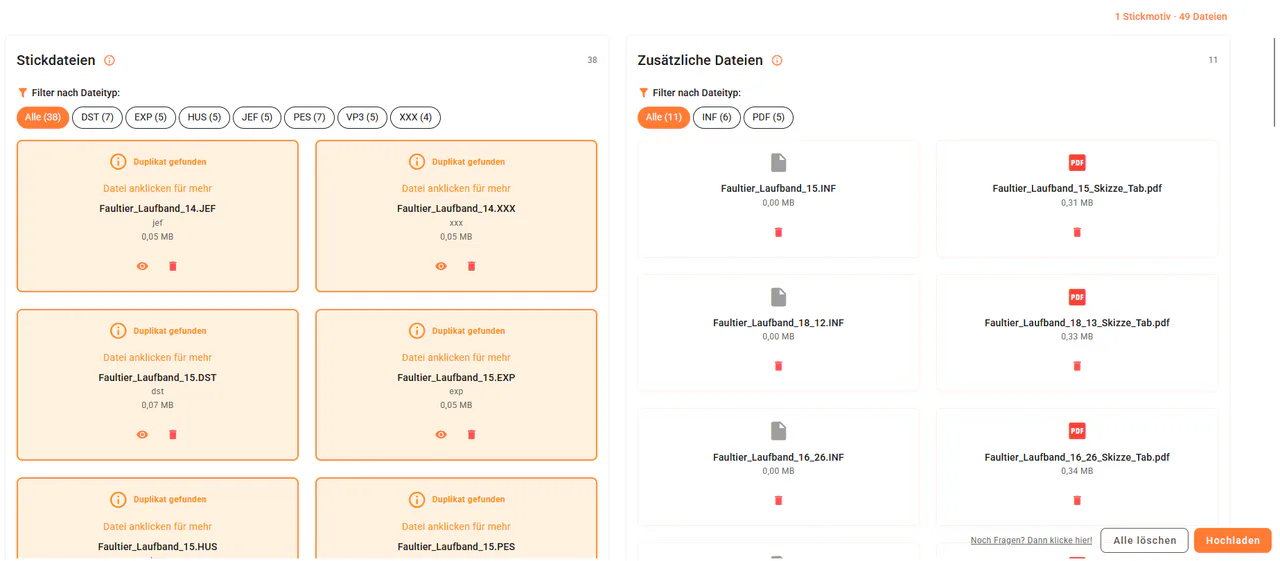
Duplicate detection wasn’t invented for the marketplace. It has been running on uploads for a while: if you select a file that’s already in your collection, emborado highlights it, and you decide whether to upload it anyway or remove it from the upload. Read the details in How to detect duplicate embroidery files during upload.
In the marketplace, the same technology kicks in one step earlier: before you spend any Talers.
Tip: the more complete your collection, the better the check
emborado can only recognize files that are in your collection. If you upload your existing embroidery files, including those from other shops and freebie promotions, the check protects you on every future purchase. The quickest way to do that is explained in Upload multiple embroidery designs at once. And while uploading, you’ll find the duplicates already hiding in your folders.
Duplicate detection FAQ
Does emborado recognize renamed embroidery files? Yes. It compares file content, not file names.
Does emborado recognize files I bought elsewhere? Yes, if you’ve uploaded them to your emborado collection and it’s exactly the same file. If the designer has since updated the file, the content differs and it won’t be detected as a duplicate.
What about files I edited myself? Any change to the content creates a new fingerprint, so edited or converted files aren’t detected.
Do I have to turn the check on? No. It runs automatically on every marketplace purchase and every upload.
Can I still buy? Yes. emborado only shows you what you already have. Whether you buy is up to you.
Your turn: how often have you bought the same design twice? Tell us on Facebook or Instagram.
👉 Go to the emborado marketplace · More on buying embroidery designs