Bulk editing in emborado – edit multiple designs at once
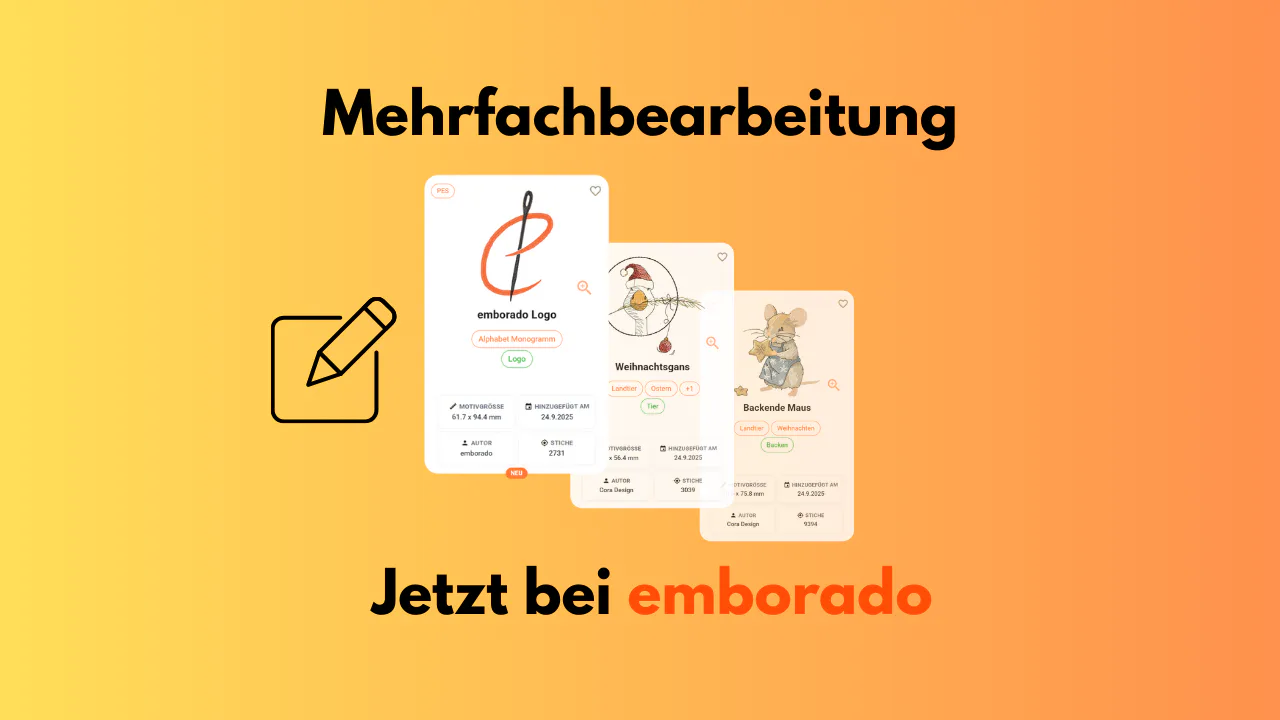
With the new bulk editing feature, you can update tags, notes and the author for multiple designs in emborado at the same time.
If you manage a large collection of embroidery files with emborado, you may know the problem:
adding tags, writing notes or setting the designer one file at a time quickly becomes tedious as your collection grows.
That’s why we’ve implemented a feature many of you have asked for:
👉 bulk editing for designs.
It allows you to select multiple designs at once and edit shared information in a single step.
What can be edited using bulk editing?
Currently, you can edit the following fields for multiple selected designs at the same time:
- Tags
- Notes
- Author / Designer
This is especially helpful for related designs, such as collections, series or designs from the same designer — and can save a lot of time.
If the selected designs belong together as a set, you can also organize them in a collection. Similar or duplicate terms can be standardized later by editing tags and AI labels.
How bulk editing works in emborado
1. Activate bulk editing
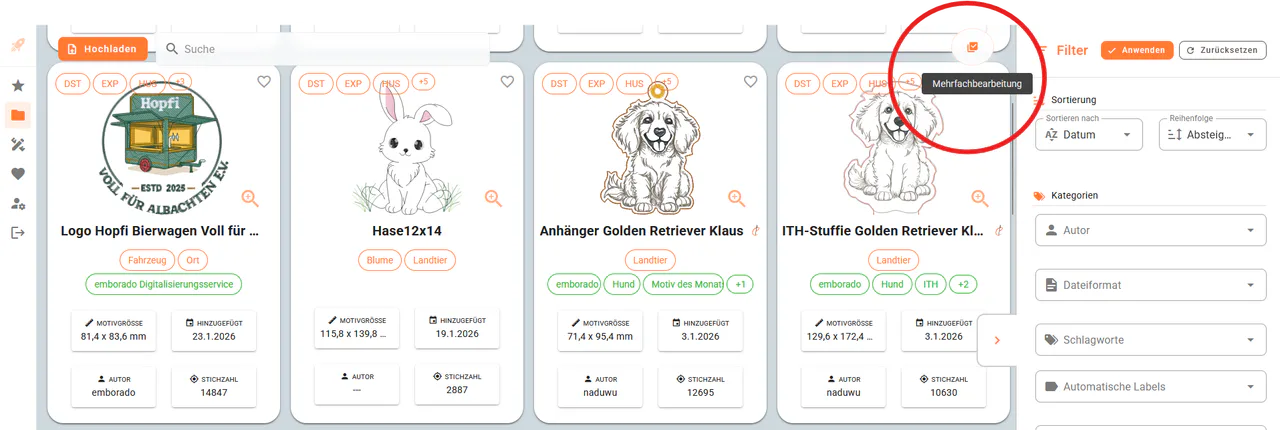
In the design overview, you’ll find the round “Bulk editing” button in the top right corner.
Clicking it activates bulk selection mode.
2. Select multiple designs
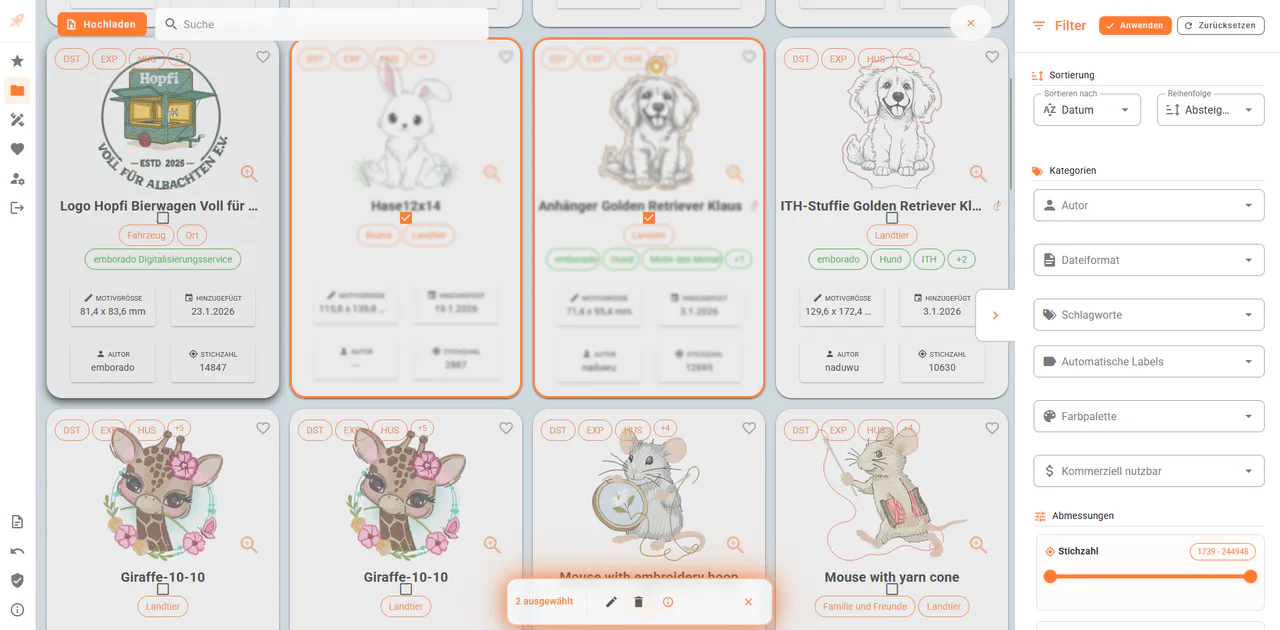
In bulk mode, simply click the designs you want to edit together.
Selected designs are clearly highlighted.
3. Edit or delete
An action bar appears at the bottom of the screen.
From here, you can:
- Edit (start bulk editing)
- Delete (if desired)
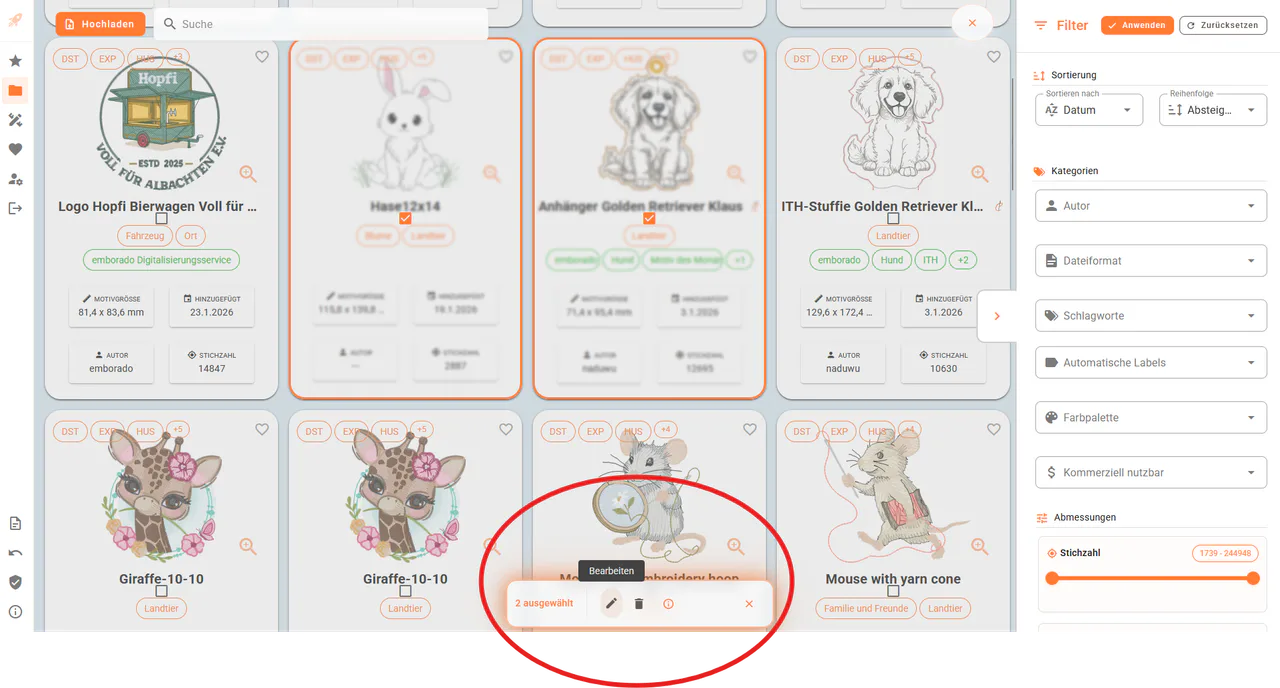
4. Set shared attributes
In the bulk edit dialog, you can now centrally:
- add tags
- add notes
- set an author / designer
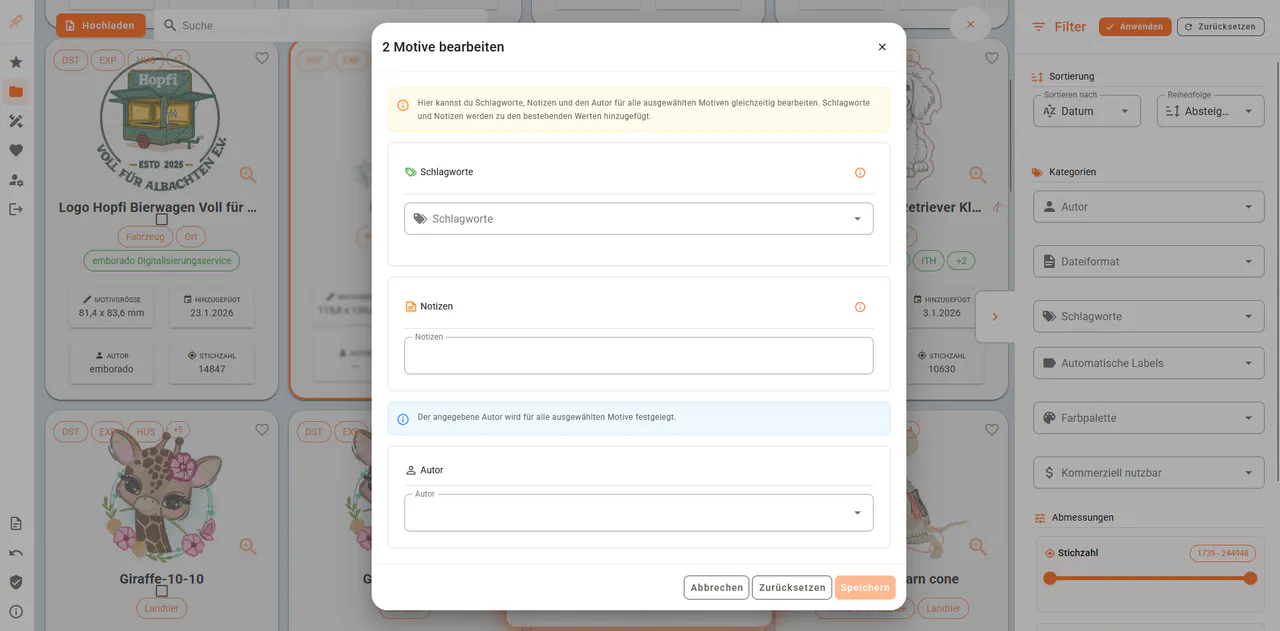
How bulk editing behaves in detail
It was important to us that no existing information is lost.
Therefore, bulk editing behaves as follows:
- Tags & notes
→ are appended to existing values - Author / designer
→ is overwritten for all selected designs
Example
Initial situation
-
Design A
- Tag: “Dog”
- Note: “already stitched”
- Author: “naduwu”
-
Design B
- Tag: “emborado”
- Note: “stitch slowly to avoid needle breakage”
- Author: empty
Bulk editing
- Tag: “Freebie”
- Note: “Max’s favorite design”
- Author: “emborado”
Result
-
Design A
- Tags: “Dog, Freebie”
- Notes: “already stitched, Max’s favorite design”
- Author: “emborado”
-
Design B
- Tags: “emborado, Freebie”
- Notes: “stitch slowly to avoid needle breakage, Max’s favorite design”
- Author: “emborado”
💬 Your feedback matters!
Bulk editing is a feature we want to improve together with you.
We’d especially love to hear:
- Which additional attributes would you like to edit in bulk?
- Is the current behavior
– appending tags & notes
– overwriting the author
intuitive and understandable? - Did you run into anything that felt confusing or unintuitive?
👉 Share your feedback with us — it directly influences future improvements.
Haven’t tried it yet?
Test emborado for free and start using bulk editing in your own collection:
app.emborado.de