How to Organize Your Embroidery Files with emborado
Easily manage and search embroidery files: With emborado you organize your collection, find designs in seconds with AI-powered search, and keep everything in one place.
Many embroidery enthusiasts know the struggle: countless embroidery files, no previews, cryptic file names.
With the embroidery file software emborado you can finally organize your collection clearly and find your designs within seconds.
Here’s a step-by-step guide to get you started.
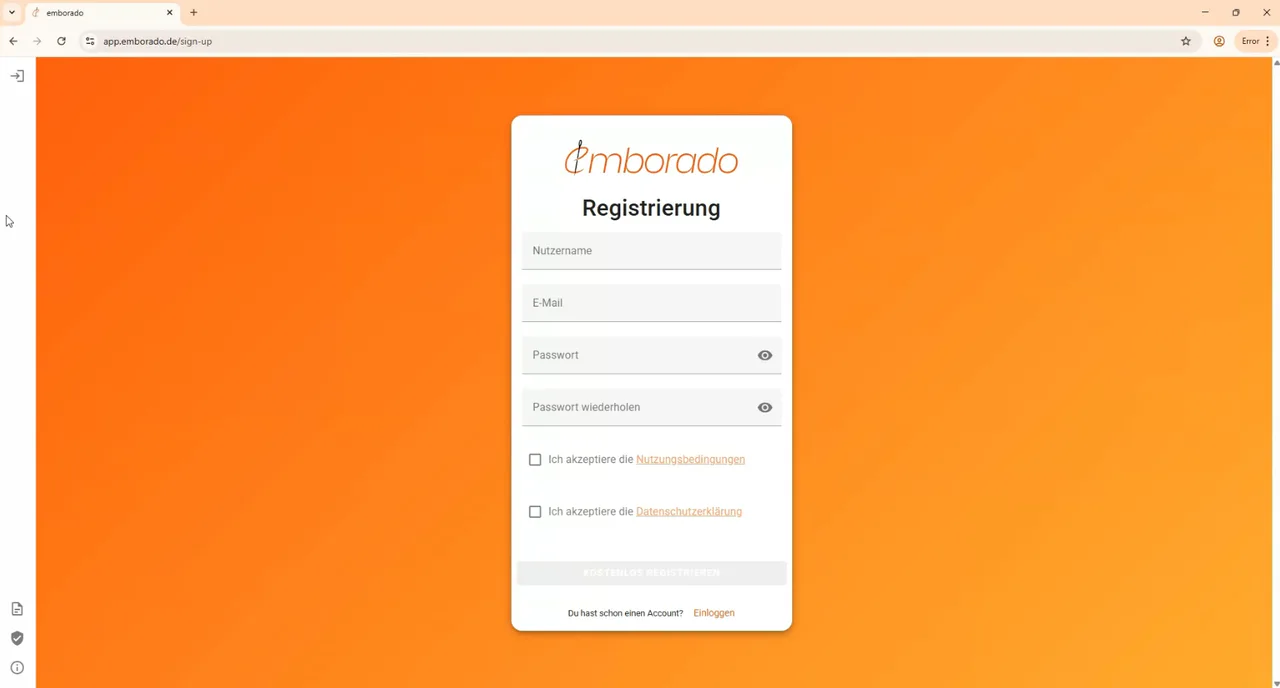
1. Registration
Go to app.emborado.de and create an account.
- Choose a username
- Enter your email address and a secure password
- Accept the terms of service & privacy policy
- Confirm the email in your inbox after registration
👉 After that, you can log in immediately.
2. Your Dashboard
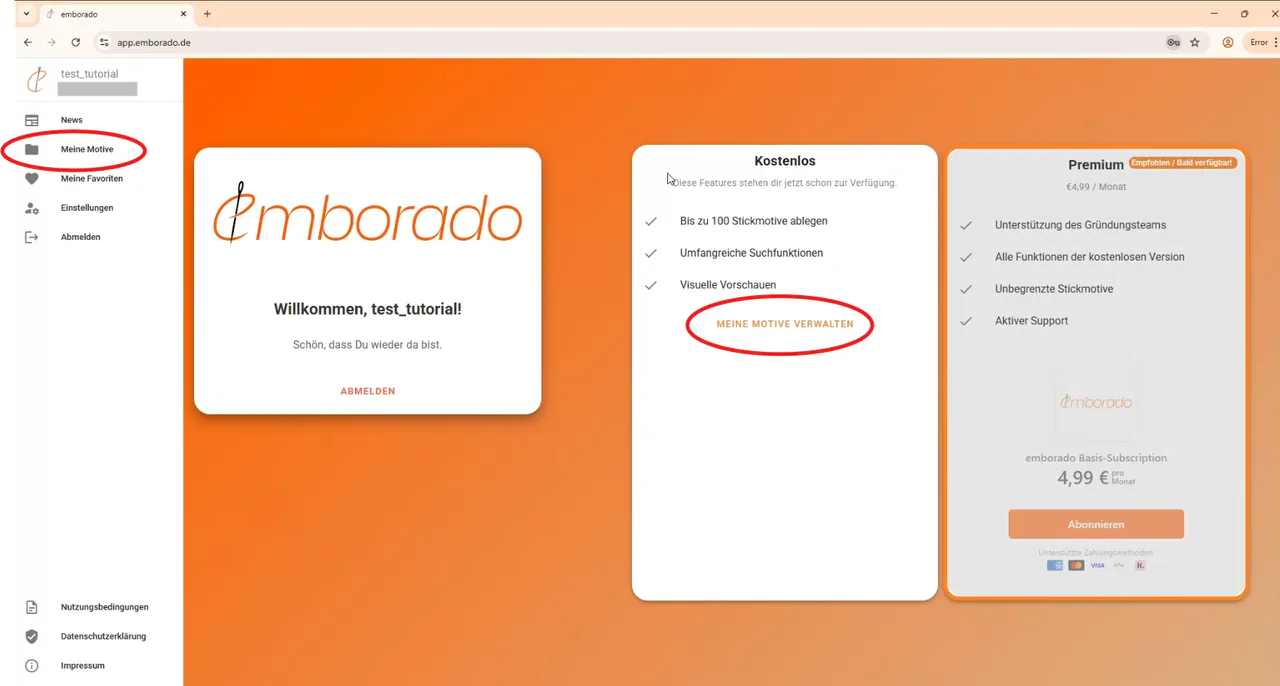
After logging in you’ll see:
- a personal greeting
- the (currently disabled) subscription models
You can either navigate to your design collection via the center button or the left menu.
At first, your collection will of course be empty.
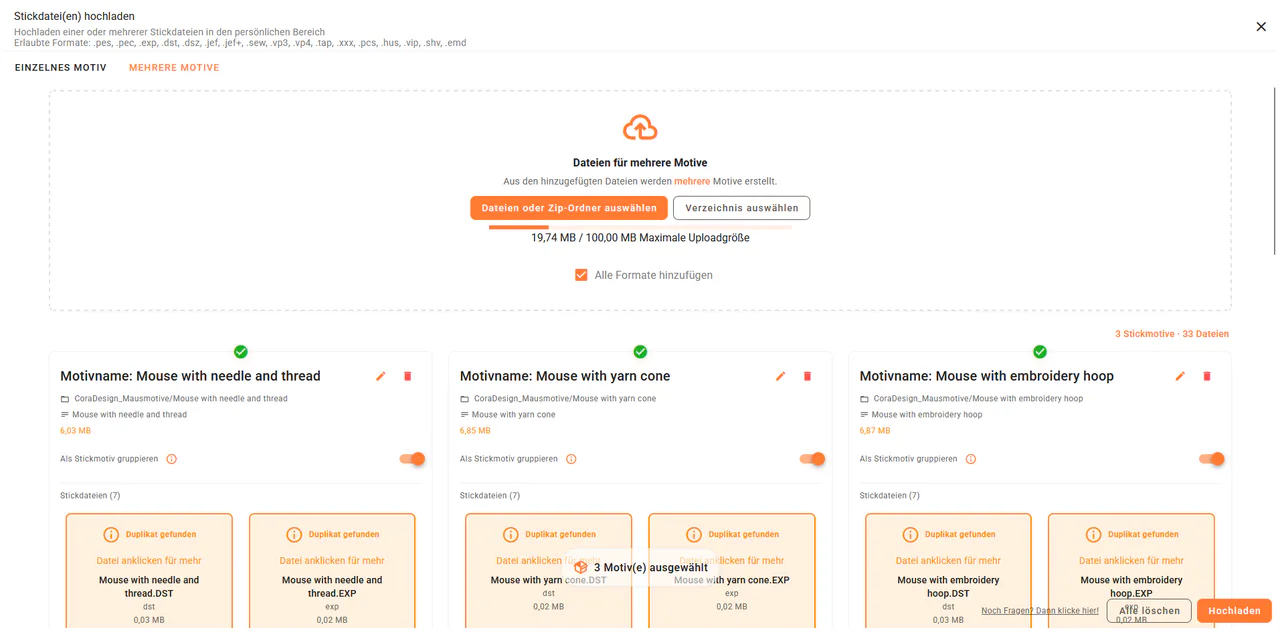
3. Uploading Files
In your empty design collection, simply click on Upload.
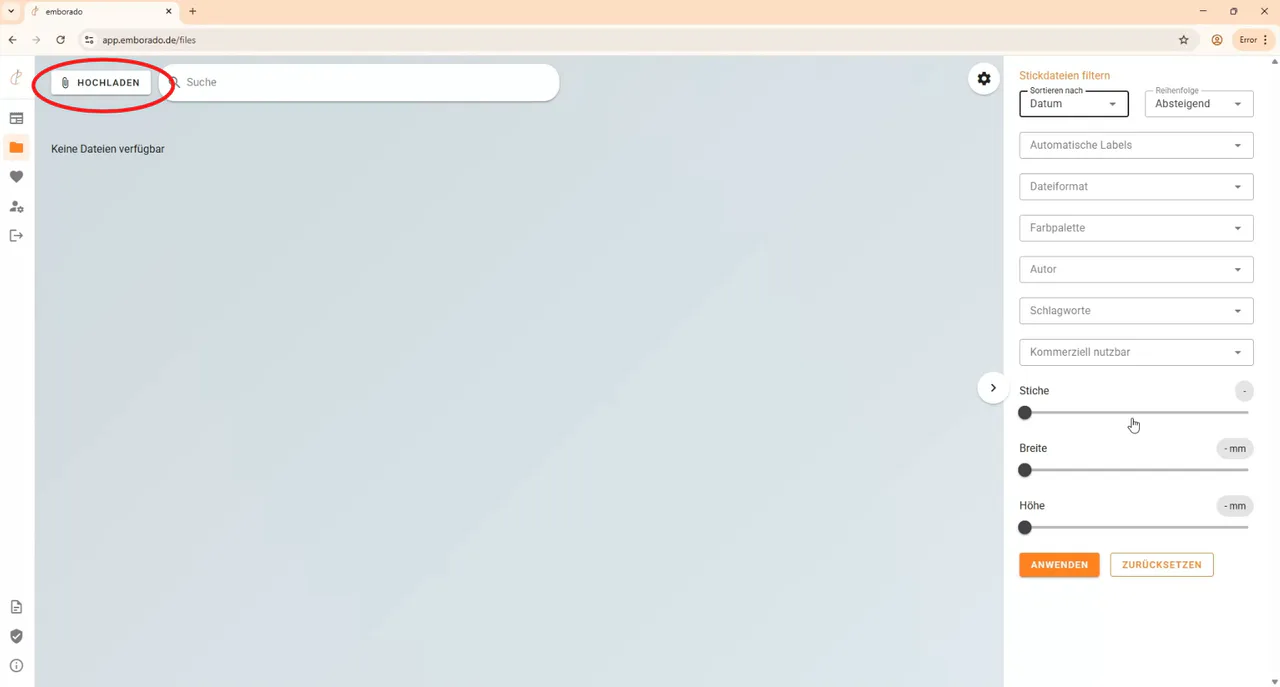
You have two options:
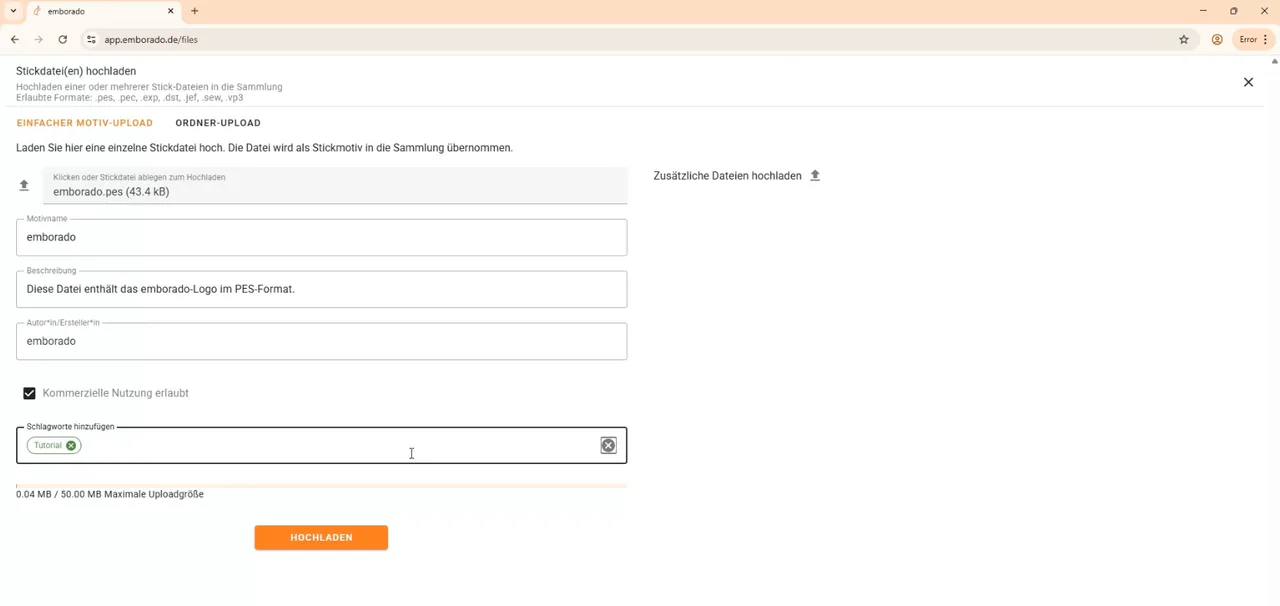
- Single Upload
Select an embroidery file, add details (name, designer, license, tags), and save.
You can also upload additional files such as instructions (PDF) or stitched sample photos.
- Folder Upload
Upload complete folders (up to 50 MB) – including subfolders.
Variants of the same design (e.g. PES, DST, EXP) can easily be grouped into a single embroidery design.
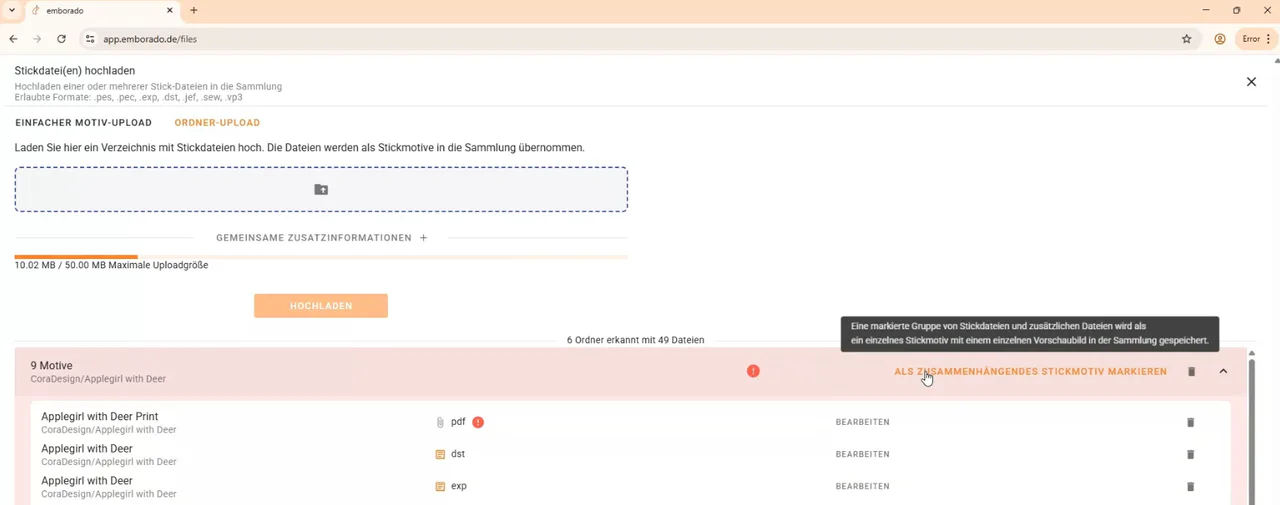
If a folder contains several independent designs, the guide to uploading multiple embroidery designs shows how to review the suggested file groups. You can process purchased archives with ZIP upload without extracting them first.
💡 Tip: If you upload a stitched sample photo, you can directly set it as the preview image.
4. Embroidery File Details at a Glance
After uploading, you’ll see a clean grid view of your designs.
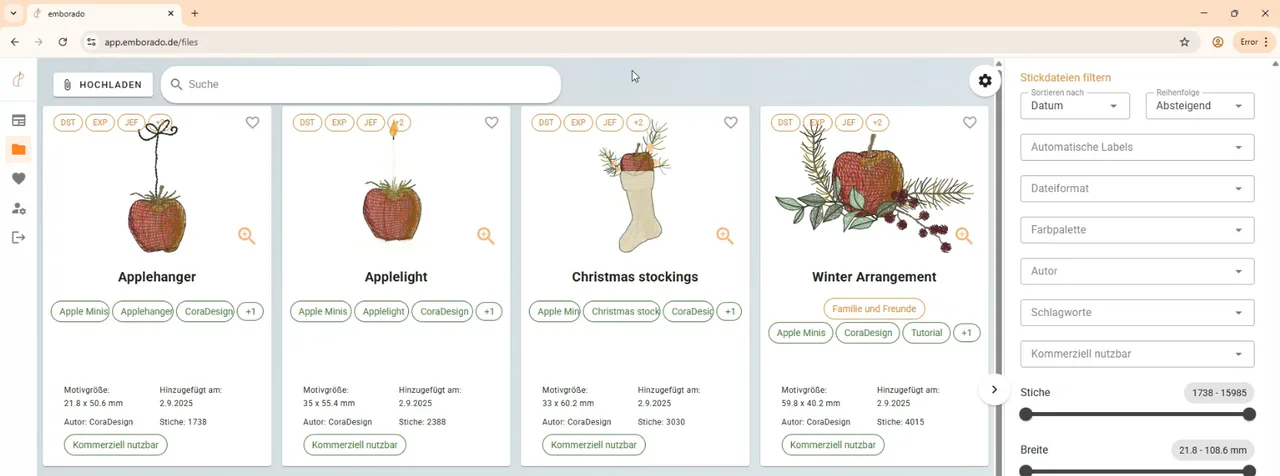
Click on a design to view all details:
- Technical data (stitches, size, colors)
- Associated files for download
- Additional documents (e.g. PDF instructions you can open directly in the browser)
- Similar designs from your collection
If a selected file is already in your library, content-based duplicate detection during upload alerts you to the existing copy.
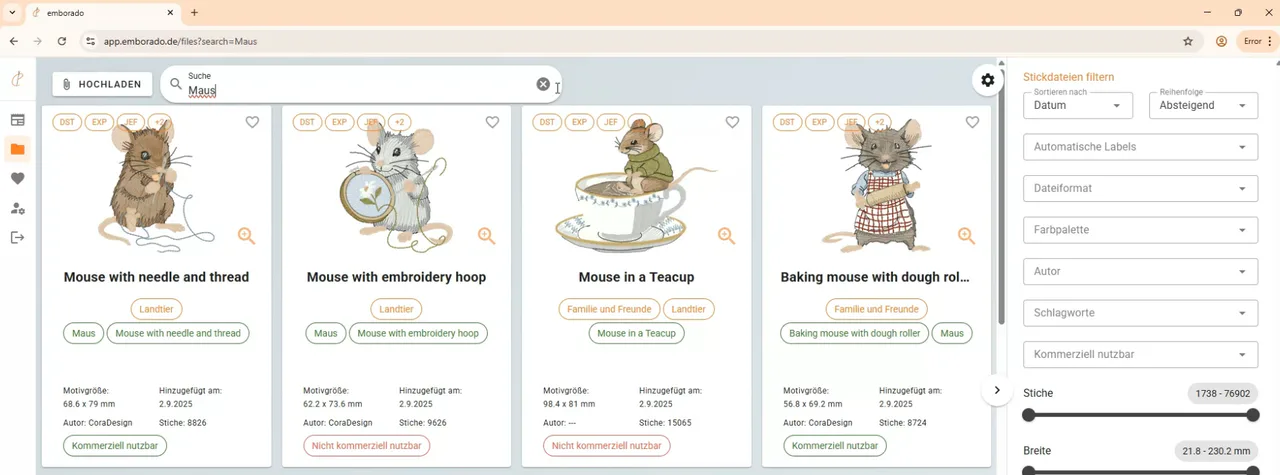
5. Search & Filter Your Embroidery Files
With emborado you’ll find designs within seconds. Search your collection in different ways:
- Name Search: including translations, e.g. “Maus” = “Mouse”
- Content-based Search: our AI recognizes designs regardless of the file name
- Filter Options: file format, colors, designer, tags, size, or stitch count
The detailed guide to searching by name and design content explains the search methods. To organize the results further, you can maintain tags and AI labels or group related designs in collections.
💡 Tip: Mark designs as favorites to access them even faster.
Conclusion
With emborado you finally have full control over your embroidery files:
✅ Find designs quickly with AI search
✅ Keep your collection organized with filters & extra info
✅ Store everything in one place – files, notes, instructions
👉 Try it yourself: app.emborado.de
If you like the designs shown in this post:
Be sure to check out Cora Design – coradesign.shop.