emborado: Embroidery File & Sewing Pattern Management Updates
Explore emborado's updates: automatic hoop size detection, better embroidery file search, designer profiles and stitched or sewn status for your collection.

Will an embroidery file fit your hoop? Which sewing patterns have you already made? And how do you find a design again when you cannot remember its exact name?
Over the past month, we have improved emborado in several areas. The new features help you organize embroidery files and digital sewing patterns, enter less information manually and search your collection more effectively. Here is a roundup of the updates, with practical ways to try them.
What’s new in emborado?
- Hoop size detection: assign embroidery files to standard hoop sizes using their dimensions.
- Reworked embroidery file search: better combine specific search terms with content-based search.
- Simpler uploads: let emborado generate design descriptions automatically.
- Global authors: display designer profiles directly on a design.
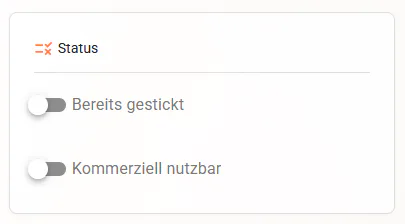
- Stitched and sewn status: mark embroidery designs and sewing patterns you have already used and filter by status.
- Rotatable previews: turn preview images in 90-degree steps.
- Search suggestions: select tags and designer names as filters while typing.
Automatically detect embroidery file hoop sizes
With a large embroidery library, checking the hoop requirements for each design takes time. That is why automatic hoop size detection is now part of emborado’s embroidery file management. Linus has implemented this feature, which had been on our list for a while.
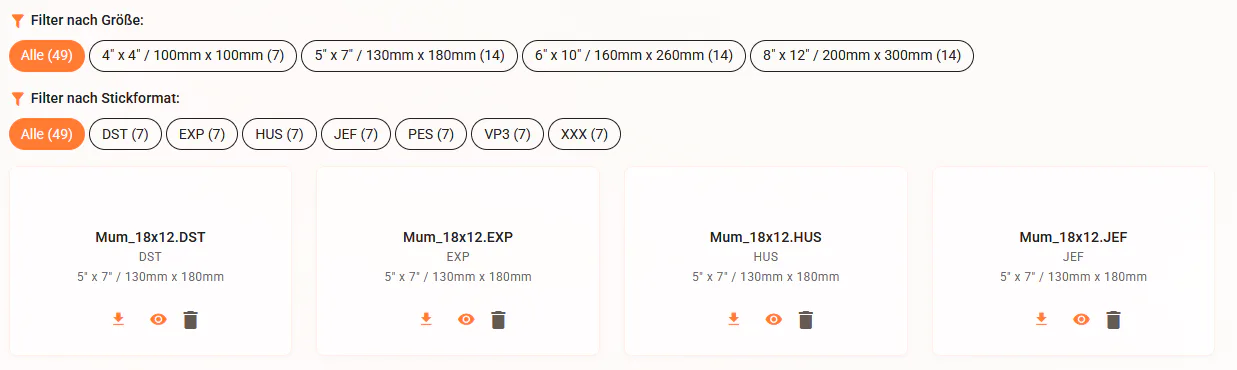
emborado checks the dimensions of the embroidery files within a design and assigns them to a suitable standard hoop size. For newly uploaded embroidery designs, the analysis runs automatically. For existing designs, you can trigger it using the hoop size analysis function next to the included embroidery files. In the German interface, this is labelled “Rahmengröße analysieren”.
We currently distinguish seven standard sizes. The inch values below are the conventional hoop names, alongside their assigned nominal sizes in millimetres.
| Hoop name | Hoop size in millimetres |
|---|---|
| 4 × 4 inches | 100 × 100 mm |
| 5 × 7 inches | 130 × 180 mm |
| 6 × 10 inches | 160 × 260 mm |
| 7 × 12 inches | 180 × 300 mm |
| 8 × 12 inches | 200 × 300 mm |
| 9.5 × 14 inches | 240 × 360 mm |
| 11 × 18 inches | 280 × 460 mm |
For more background, see our glossary entries on hoop size and embroidery hoops.
What’s planned next for hoop sizes?
Two further steps have been announced: a dedicated hoop size filter, alongside the existing filter for actual dimensions in millimetres, and a retrospective analysis of all existing embroidery designs.
The planned filter will let you find designs that fit a 5 × 7-inch hoop, for example. Once the retrospective analysis is complete, existing files should also have their sizes assigned automatically. The manual analysis button is intended as an interim solution.
Find embroidery files more easily with better search and filter suggestions
We have fundamentally reworked embroidery file search and introduced a new search algorithm. It brings traditional searches for specific terms closer together with our content-based search. You can search for a particular word while also finding relevant designs when your query does not exactly match the information stored with them.
From our perspective, the results are already better. We would especially like you to retry searches that previously made it difficult to find the right design. Our article on intelligent embroidery file search explains the underlying approach.
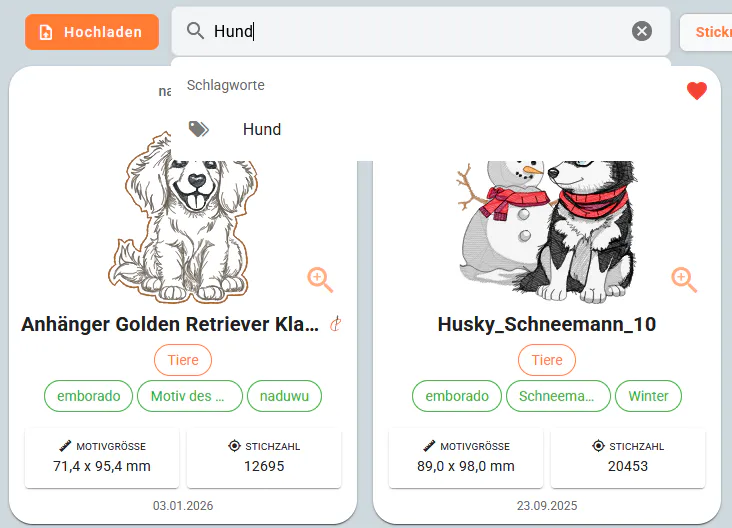
You will also see matching tags and designer names from your own collection as you type. Select a suggestion and emborado applies it directly as a filter. You can then keep typing to combine filters with free-text search.
This saves you from opening the filter panel each time. It is particularly useful on smartphones and tablets, where fewer trips through menus make a difference. Try selecting an existing tag, then adding a search term for the design you want.
Upload embroidery designs with automatic descriptions
Uploading embroidery designs has become simpler too: the design description is no longer a required field. For newly uploaded designs, emborado automatically creates a suitable description and saves it with the design.
You can still edit or expand the description in the detail view afterwards. This removes a manual step during upload while leaving room for your own information. It is particularly helpful when adding several new embroidery designs to your collection.
Global authors: designer profiles directly on your designs
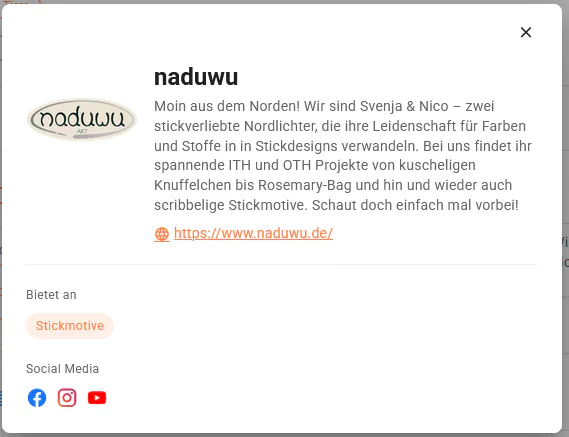
Behind every embroidery file and sewing pattern is a creative person. With global authors, we want to give those people more visibility in your collections. We have added the designers from our designer directory to the application.
When uploading a new design or editing an existing one, you can select a designer from the suggestions. A profile description then appears with the design, giving you direct access to the listed websites, shops and social media channels.
You can also merge existing author assignments:
- Open author management in the filter panel on the right (“Autoren bearbeiten” in the German interface).
- Choose the merge authors function (“Autoren zusammenführen”).
- Select the matching global author as the target author.
This connects an existing author assignment to the stored designer profile.
Track which embroidery designs and sewing patterns you have used
As your collection grows, knowing which files you own is only part of the picture. You may also want to remember which ones you have already used. You can now mark embroidery designs as already stitched and sewing patterns as already sewn.
This also works through bulk editing, so you can update several entries at once. Corresponding filters for embroidery status and sewing status are available in the filter panels on the right. In the German interface, these are called “Stickstatus” and “Nähstatus”.
Both your embroidery file library and your digital sewing pattern collection gain another way to stay organised: use the relevant status filter to narrow down entries you have already used.
Rotate preview images for embroidery designs and sewing patterns
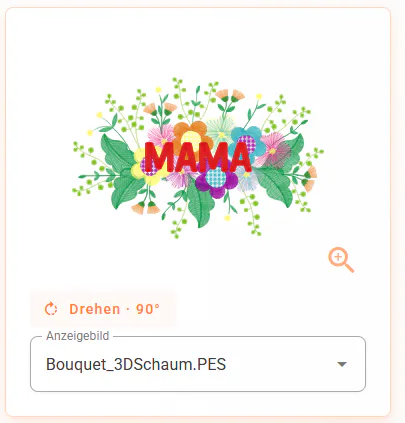
A sideways preview can make a collection harder to browse. You can now rotate preview images for embroidery designs, sewing patterns and collections in 90-degree steps.
- Open the relevant detail view and enter edit mode using the button at the top right.
- Click the rotation arrow on the selected preview image until its orientation is right. The German control is labelled “Drehen · … °”.
- Save your changes using the button at the top right.
This adjusts the preview image’s orientation. It rotates the image rather than the embroidery file or sewing pattern PDF itself.
Try the updates in your own collection
Retry a search that previously gave poor results, analyse the hoop size of an existing embroidery design or mark a sewing pattern you have already made. These small steps can help you discover which update is most useful in your everyday projects.
If you are new to emborado, our guides explain how to manage embroidery files and organize digital sewing patterns.
We would love to hear your experiences: Which searches work better? Where are relevant results still missing? And which designers would you like to see in the suggestions? Let us know through our contact page.