How to detect duplicate embroidery files during upload in emborado
See how content-based duplicate detection works in emborado and decide whether to upload or remove a file when a match is found.
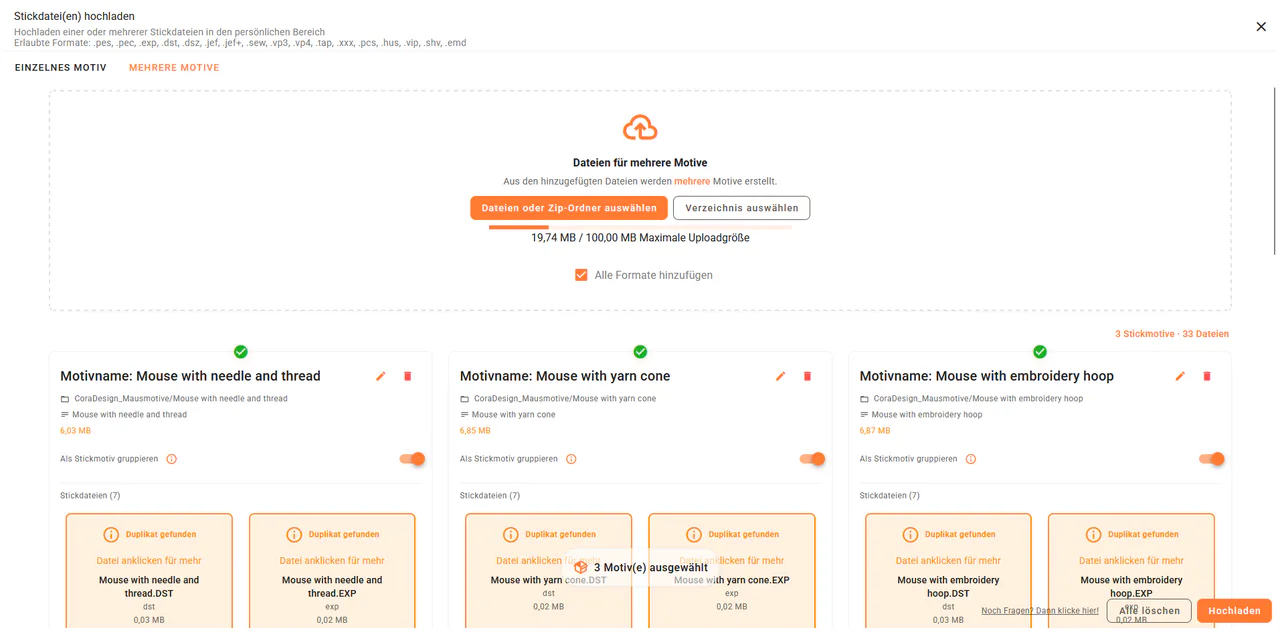
During upload, emborado checks whether a selected embroidery file is already stored in your library. You can review the match, open the existing design and decide what should happen to the newly selected file.
How does emborado recognize a duplicate embroidery file?
Duplicate detection does not compare filenames only. It is based on file content. This means emborado can recognize the same file as a duplicate even if it was renamed later.
A file called Flower.pes can therefore be recognized as already present even when the newly selected copy is called Flower_new.pes. In this case, the matching file content matters, not the name.
1. Select a file for upload
Start an upload in your design library and select the embroidery file you want to add. Duplicate detection works when creating one design and when uploading multiple embroidery designs at once.
2. Review the duplicate notice
emborado checks the selected file. If it already exists in your library, the file is highlighted during upload.
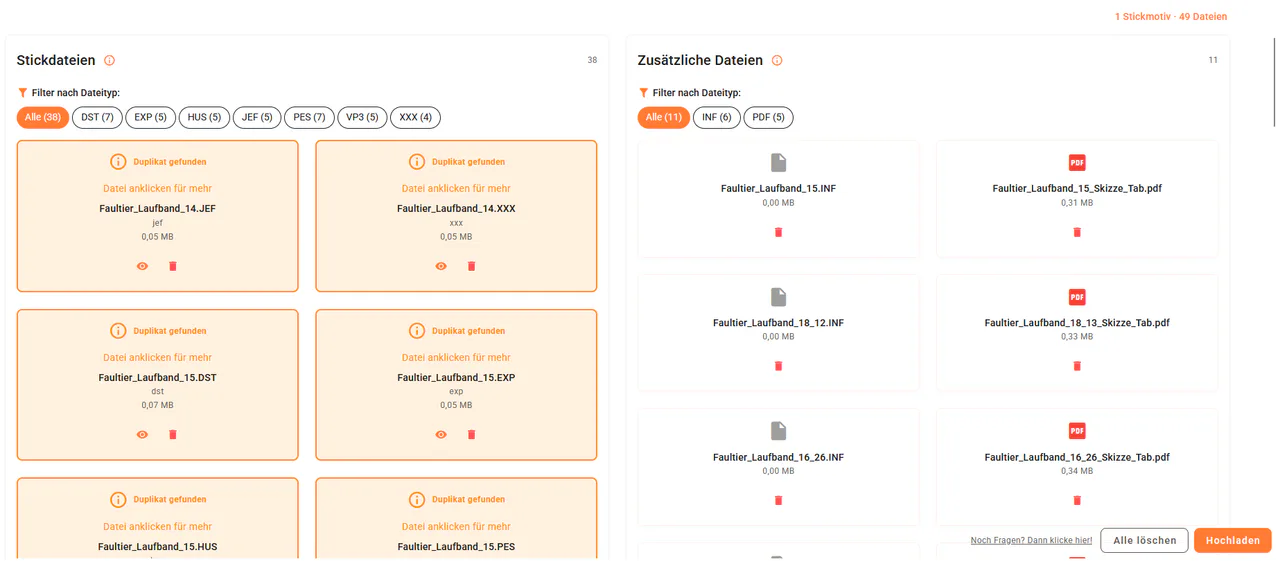
3. Open the existing design
The match shows which existing design already contains the file. Open that design when you want to check whether its name, preview, designer and other details fit the file you selected.
This lets you inspect the existing record instead of deciding from the filename alone whether the file is the same.
4. Decide whether to upload or remove the file
Duplicate detection does not delete a file automatically or take the decision away from you. You can upload the file despite the notice or remove it from the current upload.
Remove it when the existing design is already complete. Continue with the upload when you have reviewed the match and have a clear reason to store the file again.
Practical example: the same PES file with a new name
You have already stored Fox.pes together with a PDF instruction file and a preview image. Months later, you select a file named Fox_final.pes for upload.
If the file content is identical, emborado highlights it as a duplicate and points to the existing fox design. You open the design, review the files already stored there and remove the new selection when a second copy is not needed.
What duplicate detection does not promise
The check helps you recognize identical files within your emborado library. It cannot guarantee that you will never buy a design twice. You still decide whether two offers or design packages belong together and whether you want to upload a file again.
Clear names, descriptions, tags and designer details also make your library easier to review. The article about best practices for creating a design explains how to use those details. For a feature overview, visit the page about managing embroidery designs with emborado.