How to organize embroidery motifs in emborado – best practices
How should you organize embroidery motifs in emborado? These best practices help you stay organized, find designs faster, and avoid duplicate purchases.
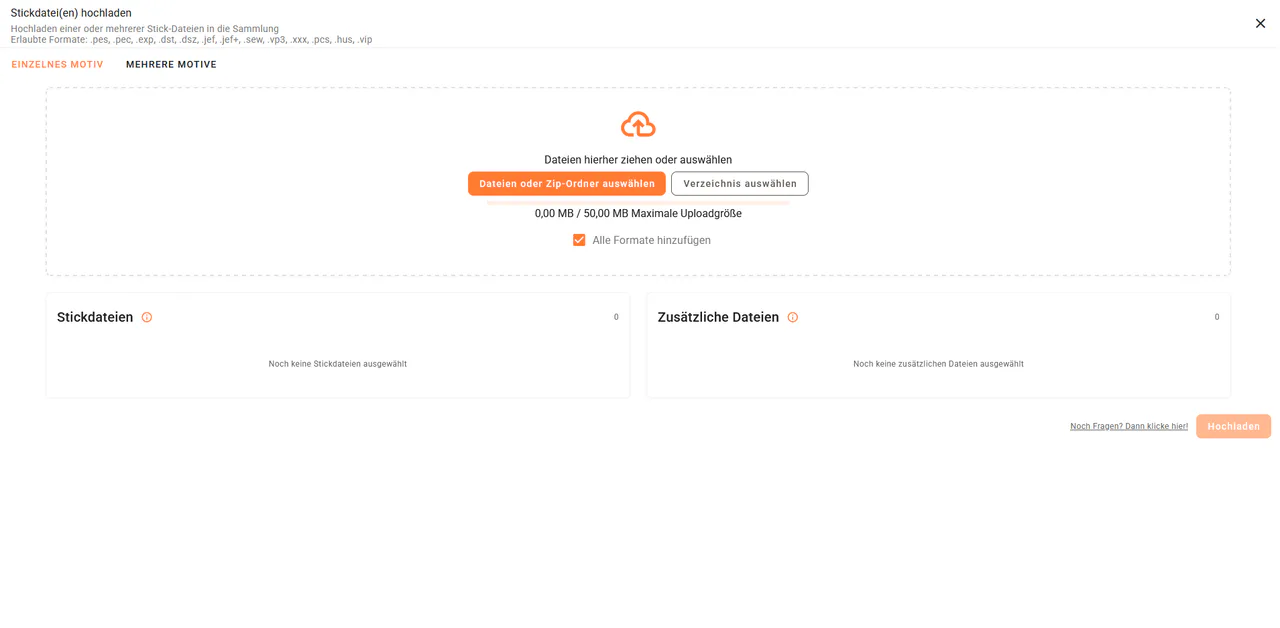
To keep your embroidery files organized, searchable, and easy to manage in the long term, it’s worth following a few best practices when creating a motif in emborado.
In this article, we’ll guide you step by step through how to optimally organize embroidery motifs in emborado.
If you want to import several independent designs at once, use the separate guide to uploading multiple embroidery designs.
1. Think before uploading: which files belong to a motif?
Before creating a new motif, take a moment to consider which files you actually need.
During the upload process, you can selectively choose which file formats should be stored.
Store more than just your current machine format
Even if you currently use only a specific embroidery machine, it can be useful to store additional formats as well — for example, if you decide to switch machine manufacturers in the future.
This keeps your motif flexible and future-proof.
Special case: ITH motifs (In-the-Hoop)
ITH motifs are a special case and benefit particularly from a clean structure.
Our recommendation:
- Upload a custom preview image or a preview image from the designer’s shop
- Explicitly select this image as the motif’s preview
Especially for ITH designs, these images are often much more informative than previews automatically generated from the embroidery file itself.
Always store PDF instructions
For ITH motifs, it also makes a lot of sense to attach PDF instructions directly to the motif.
Practical advantage:
- While stitching, you can simply open emborado on your smartphone or tablet
- The instructions are right next to the embroidery machine
- No printing or unnecessary back-and-forth required

2. Use a clear name & description – the foundation for search
The name and description of a motif are especially important in emborado.
Why?
Both are used for our content-based search.
Content-based search instead of file names only
From the name and description, a content description is automatically generated in the background.
This allows you to find motifs later not only by file name, but also by their actual content.
Example:
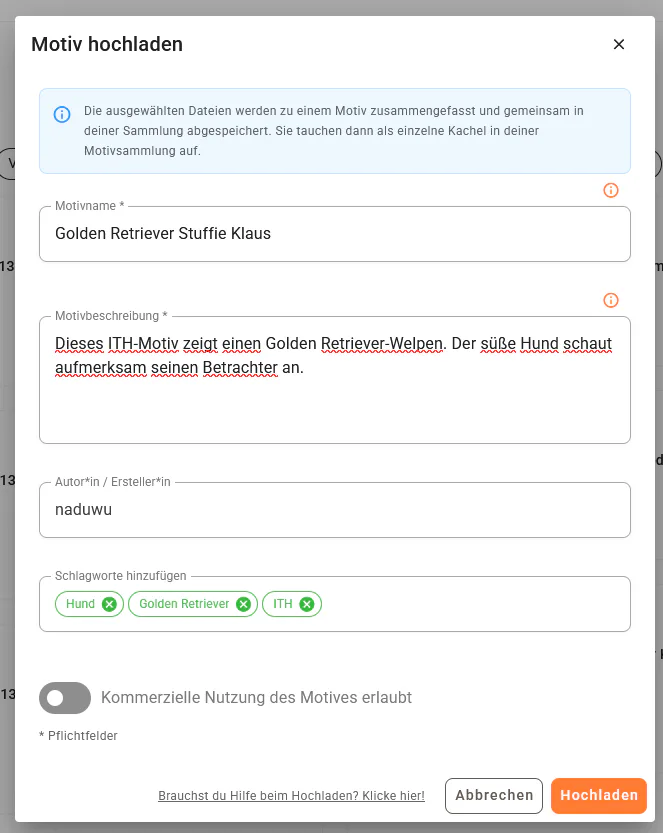
- Instead of just “Dog_ITH_01”
- better: “Golden Retriever Stuffie Klaus”
(this was also our very first Motif of the Month in January 2026)
The more descriptive your entries are, the better the search results will be.
3. Specify the designer – small effort, big impact
One often overlooked but very powerful field is the designer.
This provides several advantages:
- a valuable filter option in your collection
- a quick overview of all designs from a specific designer
- prevention of duplicate purchases
If you ever ask yourself:
“Do I already own a design from this designer?”
→ Simply filter by the designer and you’ll know instantly.
4. Tags instead of folder chaos
In traditional file systems, a motif can only exist in one folder.
In emborado, tags replace this rigid structure.
Why tags are so powerful
You can assign multiple tags to a single motif, for example:
- dog
- ITH
- bag
- gift
- kids
This allows you to find motifs from different perspectives without duplicating or constantly reorganizing files.
Tags eliminate folder chaos and provide maximum flexibility.
The guide to editing tags and AI labels explains how to rename or merge similar terms later.
Conclusion: good structure saves time in the long run
If you organize your motifs properly from the start, you benefit in several ways:
- faster retrieval thanks to content-based search
- less chaos and fewer duplicate purchases
- all relevant files and instructions stored in one place
During upload, content-based duplicate detection in emborado can also help you recognize files that are already stored in your library.
👉 Try emborado for free and put these best practices into action:
app.emborado.de